Open tabs, in one place
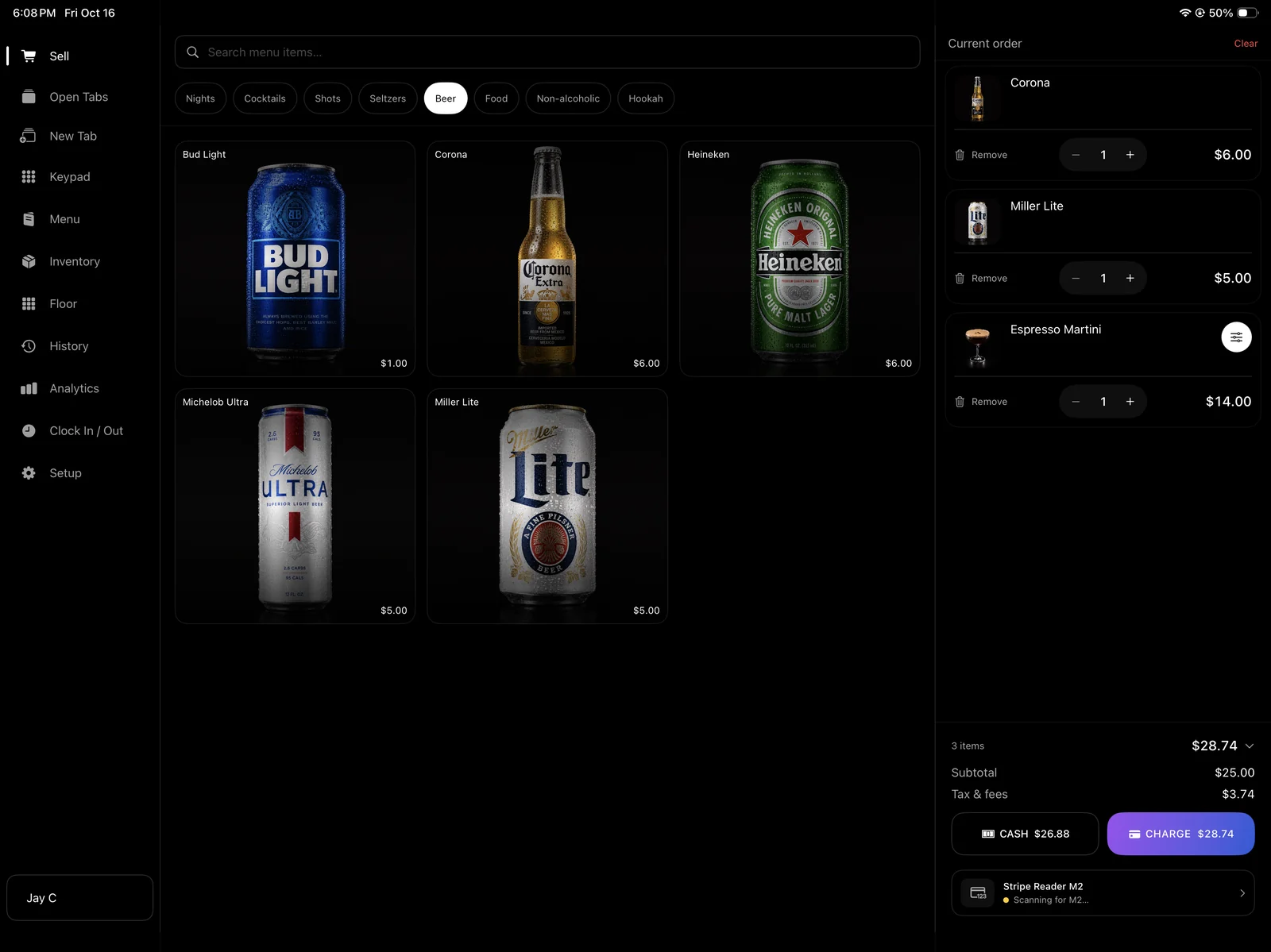
Start an order for a guest or group, add another round, and return to it through Open Tabs. Move selected items or combine orders into another authorized tab when the group changes. Close the tab after payment is confirmed.

AVNT for bars
An iPad point-of-sale system for bars that need to serve the next guest, keep tabs organized, and see where the night stands. No monthly software subscription or onboarding fee.
$0 monthly software subscription. $0 onboarding fee. See the offer.
The workflow
Start an order for a guest or group, add another round, and return to it through Open Tabs. Move selected items or combine orders into another authorized tab when the group changes. Close the tab after payment is confirmed.
Keep beer, cocktails, shots and nonalcoholic drinks organized in a visual menu. Update items and prices from the owner dashboard, then check the selling screen before the shift starts.
Give each bartender a personal PIN so sales and clock activity stay attributable to the right person. Guests can choose a tip during card checkout. Owners can review staff time from the dashboard.
Review sales, tips, tax, average order value and best sellers. Use searchable receipts to find completed orders, and record deliveries or count corrections in Inventory instead of keeping a second handwritten list.
See it for yourself
Use the public demo to build a drink order and walk through simulated checkout. Then use the setup guide to plan your menu, staff access, Stripe payment setup and reader connection. The demo takes no real payments and does not change your venue data.
Open the interactive demo ↗Before you decide
Yes. You can create a tab for a guest or group, add items, return to Open Tabs, and close it after payment is confirmed. The setup guide covers moving items and combining orders.
AVNT has no monthly software subscription or onboarding fee. Payment processing, any transaction charges and equipment are separate considerations. Confirm the payment setup and who pays each charge before taking live payments.
The venue owner can sign in to the web dashboard to manage menus, review performance, find receipts, track inventory and review staff time. A bartender PIN does not provide access to the owner dashboard.
Treat card checkout as online-only unless AVNT explicitly confirms offline support for your venue and reader. Plan a venue-approved fallback and test connectivity before opening.
Your next step
Start with the demo, create your owner account when you are ready, or ask us about your setup.